Now that I have access to 4 different editions of Troilus and Criseyde, I’ve been working to find a computer program that allows me to easily identify and compare differences in punctuation between versions of the text. I’ve tried 4 programs so far; the first, Voyant, I reviewed in an earlier post, which you can read here. Since then, I’ve tried WinMerge, ExamDiff, and the Compare feature on Microsoft Word. In each program, I copy/pasted verses 77-104 of Book Two and verses 248-268 of Book Five, which I transcribed for this purpose. I have been using the Speght and Urry transcriptions of the text for each comparison so far.
WinMerge
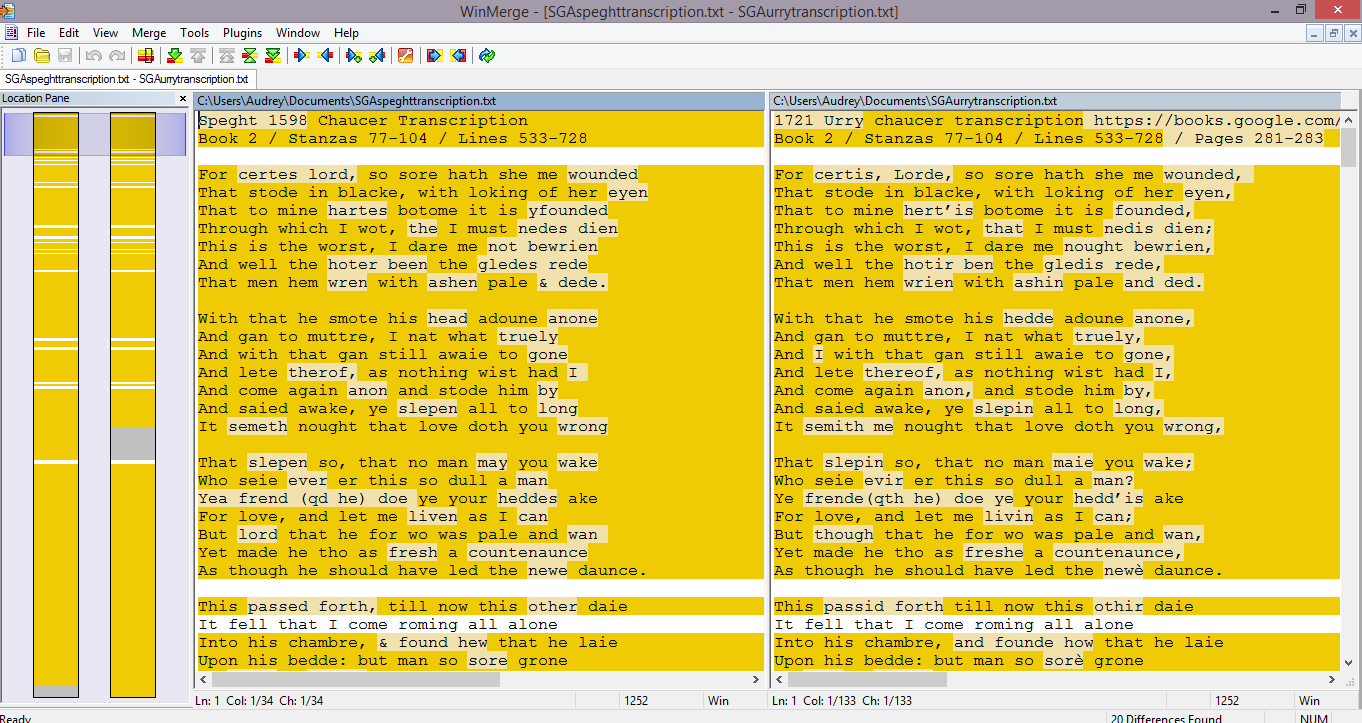
Although WinMerge certainly has its uses (it seems to primarily be created for coders who need to find tiny differences in code), it was confusing for me to use and felt unsophisticated. WinMerge, as shown below, merely highlights every word that isn’t identical between two versions of the text. Since my texts have many small differences, especially in spelling, this resulted in nearly the whole text being highlighted.
ExamDiff
ExamDiff was similar to WinMerge, but even less suitable for this particular project. As shown below, ExamDiff highlights the entire line of text whenever the two versions are not identical.

Microsoft Word
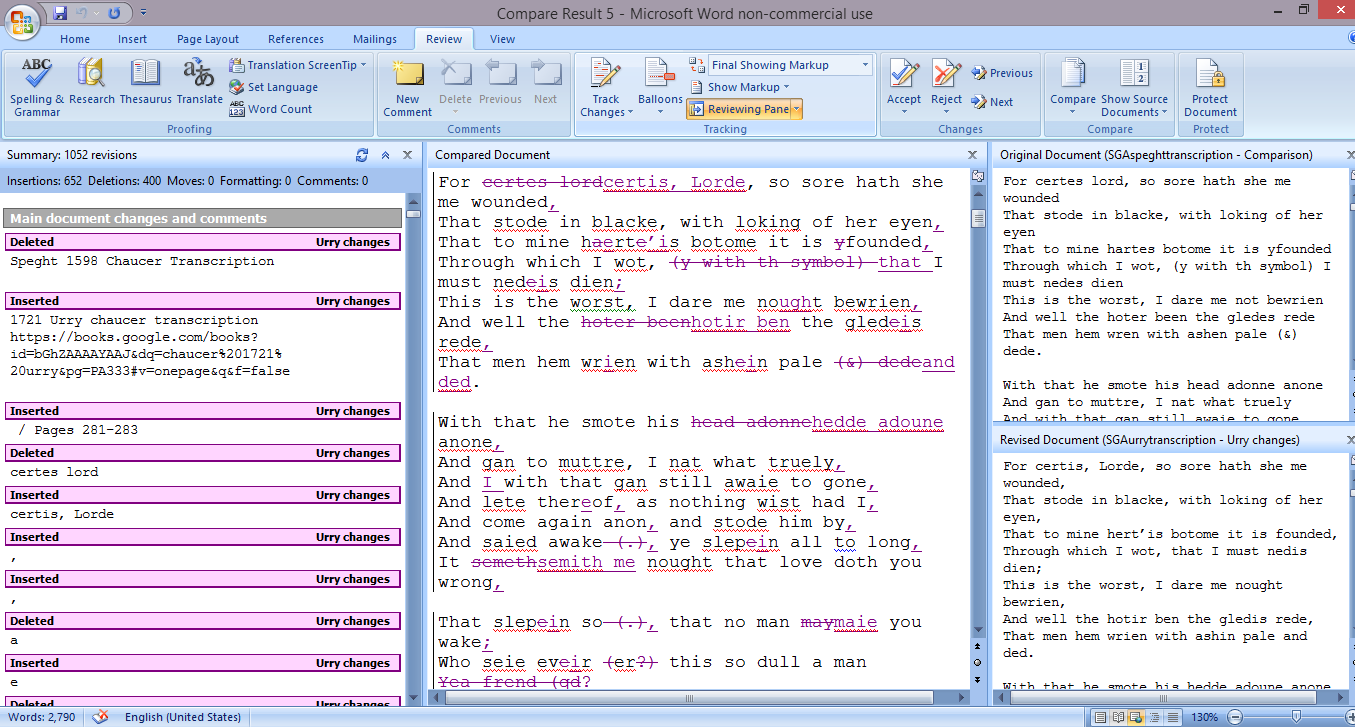
I hadn’t used the Compare feature on Word before, but after disappointing results with the first three programs, Dr. Sprunger (my mentor for this project) recommended that I give it a try. I have found this to be the easiest to use and most helpful program by far, and I plan to use Compare for the rest of this portion of the research.
Compare provides a great deal of information all at once, including a list of insertions and deletions, a combined version of the two texts with each change marked, and the original texts, all displayed side-by-side. It looks like this:
Though I was disappointed by the free comparison software available online, Microsoft Word has proven itself reliable and user-friendly, as well as able to provide a the best analysis tools for this research.
